
Signing a PDF with a real certificate – a PKCS#12 file, a smartcard or a YubiKey – should not need a heavyweight office suite or a proprietary reader. So on 10 October 2026 I started pdfsigner: a small CLI plus Qt GUI on top of pyHanko. Three days and about 140 commits later it is called slim-pdf and also fills in forms, adds text and images, edits pages, recognizes text in scans and lets you search and copy it. This post is the story of how it grew, and what broke on the way.
This post was drafted by Claude from the development history and notes. The code itself was also written together with Claude (Claude Code), with me driving, testing and deciding.
Day one: signing, properly
The core was there quickly: sign prepared signature fields or place a new signature anywhere on a page, with an optional scanned signature image (PNG/JPEG, or a PDF as vector graphics). Every signature is an incremental update, so earlier signatures stay valid – and before asking for any passphrase, slim-pdf checks whether a new signature would break a certification or a field lock. The rest of the day went into everything around it:
- Certificate profiles: PKCS#12 files, PKCS#11 tokens (smartcards, YubiKeys), or the Windows certificate store / macOS keychain – each with its own stamp image, text, reason and timestamp server.
- Secrets from a prompt, the OS keyring, a KeePass database (via pykeepass), or
keepassxc-clifor YubiKey-protected databases. The.p12itself can live inside KeePass as an attachment. - Verification (
slim-pdf verifyand a Signatures list in the GUI): valid, untrusted or invalid, with the reason – a missing issuer, a broken timestamp, SHA-1, or changes after signing. Missing intermediate certificates are downloaded, and the OS’s own CA store is trusted next to Mozilla’s. - Long-term validation (PAdES B-LT / B-LTA) as a profile option.
- Cards done carefully: login on the reader’s PIN pad, the PIN sent again for keys that need it before every signature, no PIN tries at all on a locked PIN, and no stored PIN used when only one try is left. Tested against SoftHSM, including a token laid out exactly like a YubiKey, with RSA, P-256, P-384 and Ed25519 keys.
- German translation of GUI and CLI, and Windows/macOS installers built by GitHub Actions from hash-locked dependencies.
linux # slim-pdf sign expense-claim.pdf --field Applicant
linux # slim-pdf sign expense-claim-signed.pdf -i -c supervisor --field Supervisor
linux # slim-pdf verify expense-claim-signed.pdf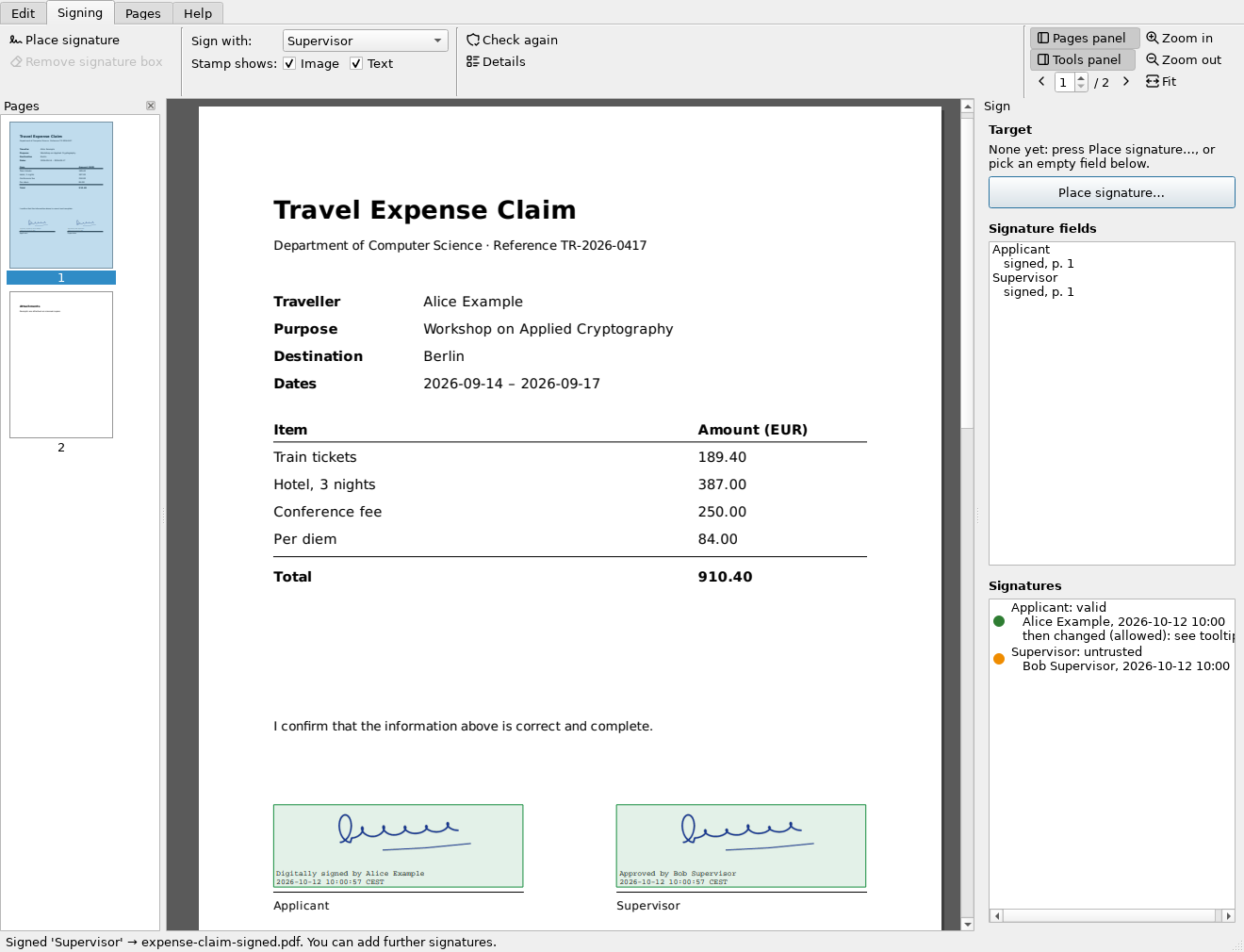
A security review pass on the first evening fixed the less obvious things: keepassxc-cli is never run from the current directory (a planted copy would otherwise see the database password), text from the PDF is escaped before the GUI shows it, a KeePass lookup by bare title skips the recycle bin and must be unique, PDF passwords no longer go on the command line, and the release workflow no longer leaves signing keys or passwords lying around in the workspace.
Day two: more than signing
Once the signing worked, the obvious next questions came up: can it fill in the form before I sign it? Can it add a line of text? That turned the tool into a small PDF editor, and the name pdfsigner stopped fitting – so on 11 October it became slim-pdf (the old commands still work, and old settings are found).
- Forms: text fields, check boxes, radio buttons and choices, filled in right on the page or in a side panel – without breaking earlier signatures. Radio buttons usually have no labels in the PDF, so the panel reads them from the text to the right of each button.
- Text and images: drag a box or click where they go.
- Pages: rotate, crop, delete and reorder pages; several documents in tabs, with copy, cut and paste – or drag and drop – of pages between them.
- A ribbon instead of menus and toolbars, with Tabler icons (MIT).
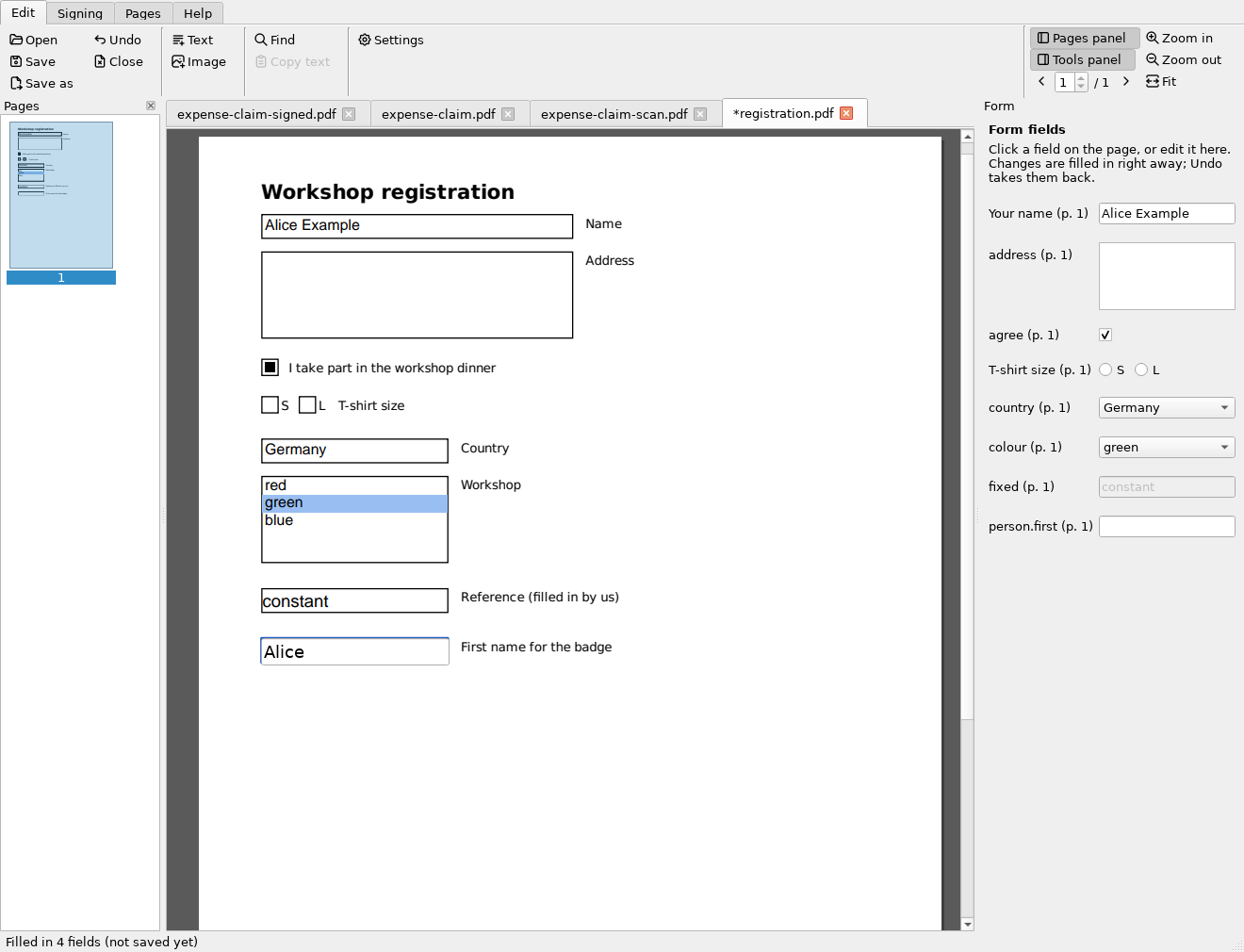
One bug from that day deserves a mention: the window sometimes froze with US Letter pages. A small watchdog that logs where the GUI thread hangs found it – an endless resize loop at fit-width zoom: the scroll bar appeared, the page got narrower, the scroll bar disappeared, the page got wider again, and so on.
Day three: text recognition, search and copy
Scanned PDFs are just pictures: nothing to search, nothing to copy. Text recognition (OCR) fixes that by adding an invisible text layer on top of the page image. The requirements were strict: entirely offline (these are often confidential documents), German and English, and it has to fit into the installers. Instead of bundling one big engine, slim-pdf uses what each system already has:
- macOS: Apple’s Vision framework (via pyobjc).
- Windows: the built-in
Windows.Media.Ocr(via pywinrt). Each language needs its OCR component installed in Windows. - Linux: Tesseract from the distribution, called as a separate program.
OCRmyPDF was considered and rejected: it rewrites the whole file, while slim-pdf saves every change incrementally. The text layer is written by slim-pdf itself: each recognized word is drawn in text render mode 3 (invisible) and horizontally stretched with Tz so it covers exactly the word on the scan – which is what makes selecting text on a scanned page look right.
linux # sudo apt install tesseract-ocr tesseract-ocr-deu
linux # slim-pdf ocr scan.pdf --lang de,en -o searchable.pdf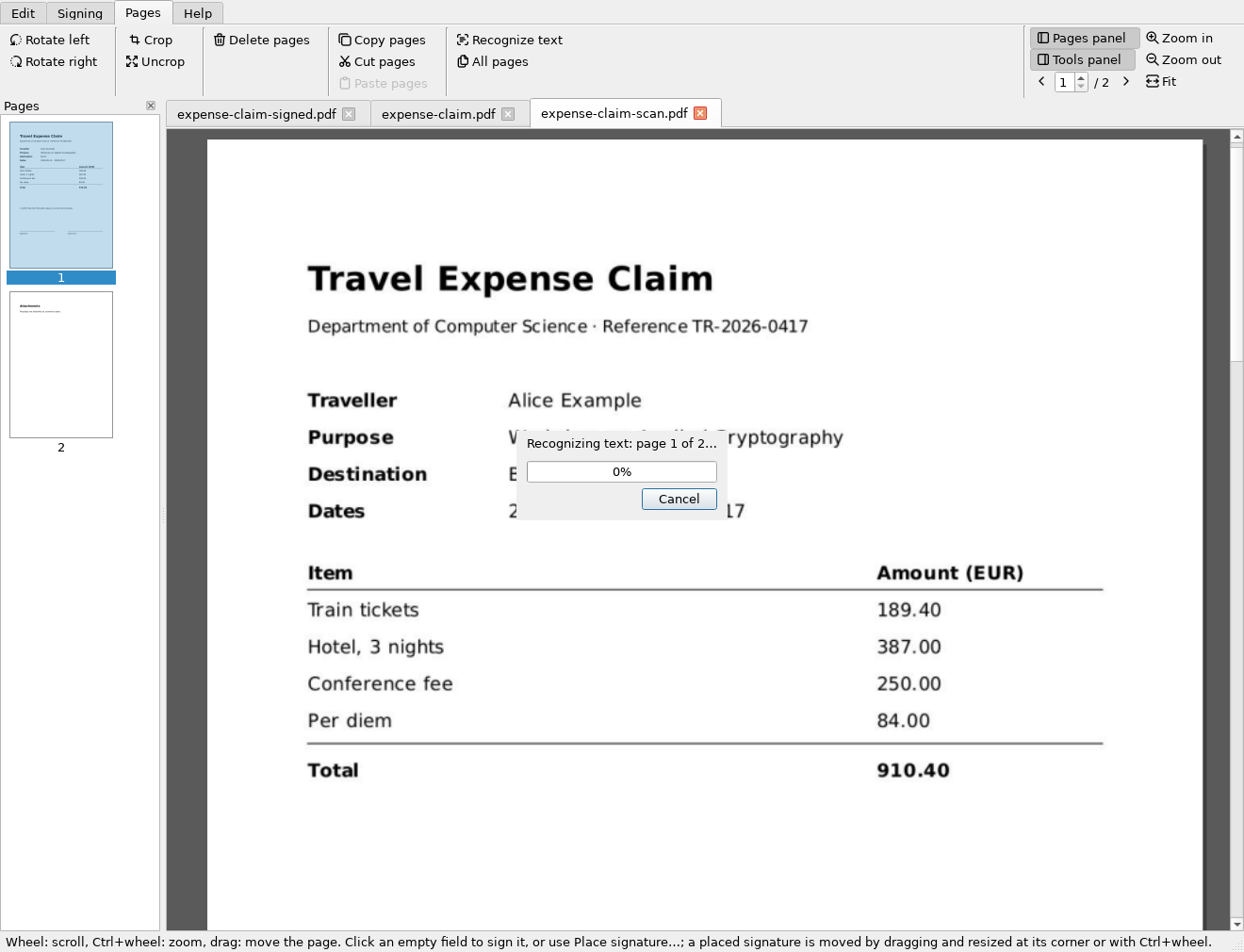
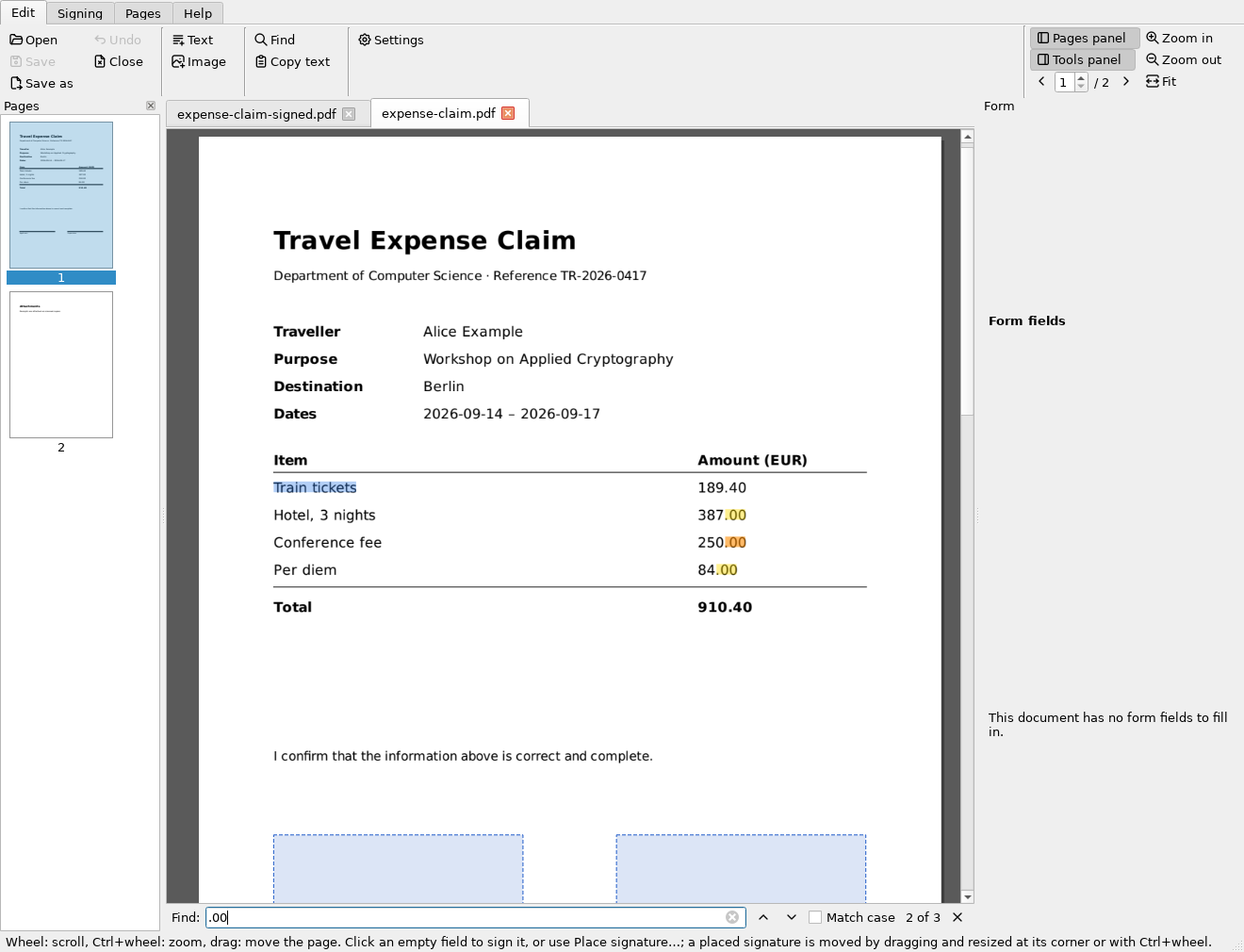
With text in every PDF, search and copy were next. Selecting text across a page break only makes sense if the pages scroll continuously, so the page view was rewritten for that: only pages near the view are rendered, and a 400-page document opens in about a second. Two pdfium details cost some time:
- pdfium is not thread-safe. OCR runs in a background thread so the window stays responsive, but every pdfium call (rendering the page for the OCR engine) is handed back to the GUI thread.
- Line breaks count twice. pdfium’s text indices count its
\r\nline breaks as two characters. Index into a normalized copy of the text, and every selection after the first line break is off by one more character.
The ribbon got some polish too: small buttons throughout, no group captions, and room for a horizontal scroll bar only while the window is too narrow. That last one failed only on macOS in CI – the ribbon was clipped by 2 pixels, because macOS scroll bars are taller than the style’s nominal size.
Choosing a license
Nearly all dependencies are MIT, BSD or Apache-2.0, certifi is MPL-2.0, Qt (via PySide6) is LGPL-3.0 – any of those would have allowed any license. The deciding one was pykeepass, which is GPL-3.0, and the installers bundle it. A permissive license for the source with GPL installers would have been legal but confusing, and AGPL-3.0 adds little for a desktop app, so slim-pdf is now GPL-3.0-or-later.
The installers now carry a THIRD-PARTY-LICENSES.txt, generated at build time from the installed packages’ metadata. A small surprise there: on Linux the PySide6 wheels ship no license file at all, and on Windows they ship only a note about Qt’s commercial license – the LGPL text is in neither, so the build adds it itself.
Testing
Around 670 tests run on Linux, macOS and Windows with Python 3.11 and 3.13 in GitHub Actions: SoftHSM tokens for PKCS#11, simulated tokens for PIN pads and locked PINs, a small test CA serving its CRL on localhost for long-term validation, a fake OCR engine for the text layer, and the real engines where CI has them (Apple Vision with many languages; Windows OCR with English only). The GUI is tested headless with Qt’s offscreen platform, and the screenshots in the docs are regenerated by a script. The installer build smoke-tests the frozen binaries: sign, verify, page tools, OCR and starting the GUI.
Feedback welcome: development and manual testing happen on Linux. On Windows and macOS only the automated tests have run so far – the system OCR engines, the GUI with the native fonts and styles, and the installers have not been tried on a real desktop yet. If you try it there, please open an issue with what works and what doesn’t.
Take-aways
- pyHanko does the hard part of PAdES; most of the work in a signing tool is around it – key sources, PINs, error messages a user can act on, and saying why a signature isn’t trusted.
- Incremental saves everywhere keep earlier signatures valid – and make a whole-file rewriter like OCRmyPDF the wrong fit.
- The operating system’s own OCR engine is good, offline and costs nothing to bundle.
- Check your dependencies’ licenses before picking your own: one GPL library in an installer decides more than all the MIT ones together.
- A watchdog that logs where the GUI thread hangs turns “it froze once” into a stack trace.