
A regular MCP server has no UI. If it needs something from the user, it can elicit it, and the client draws a flat form. That’s enough for a date or a yes/no, but not for a colour, a drawing or a click on a 3D model.
MCP Apps (io.modelcontextprotocol/ui), the first official MCP extension since 26 January 2026, close that gap. This post uses two apps from mcp-feature-test, a colour picker and a 3D viewer, tested in Open WebUI 0.13.2.
How it works
- An app is an HTML page the server publishes as a
ui://resource. A tool points to it with_meta.ui.resourceUri. - When the model calls that tool, the host renders the page inline, in a sandboxed iframe.
- The app talks only to the host (
postMessage). Through it, it can call server tools, post a chat message (ui/message) or update the model’s context, if the host supports that.
pick_color: asking a question with an app
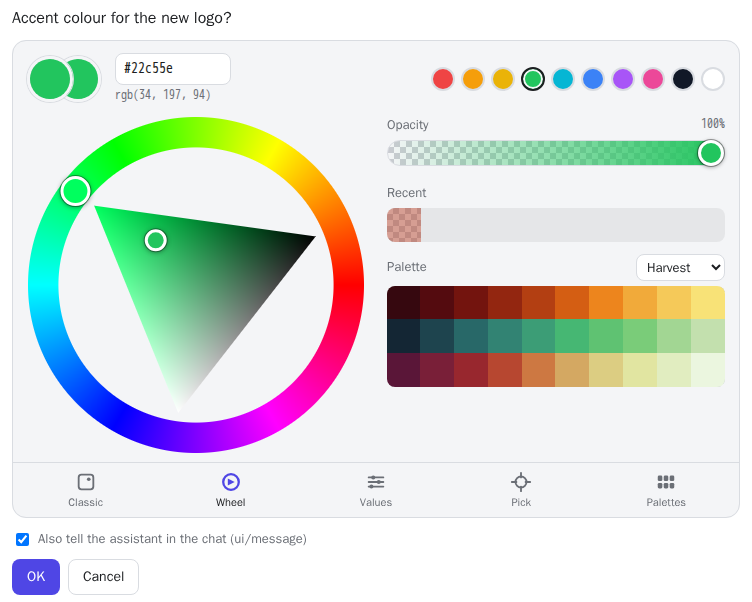
The key difference from elicitation is when the answer arrives. With elicitation the tool call waits for the user. With an app, the tool call has already returned by the time the picker appears, because the host renders the app from that result. So the answer reaches the model a turn later: the app stores it on the server via an app-only tool (pick_color_submit) and wakes the model with a ui/message.
view_3d: WebGL inside the chat
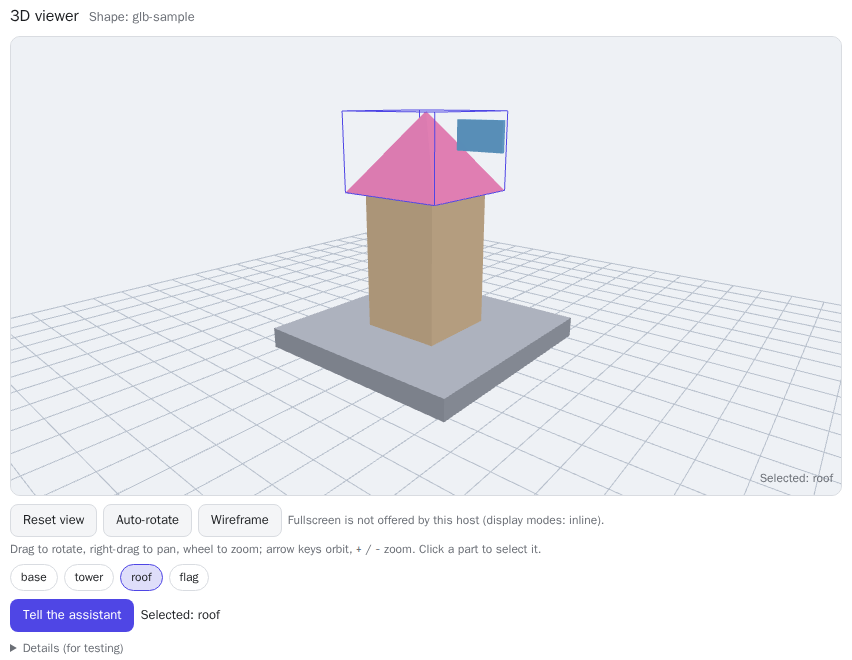
A three.js viewer: orbit, zoom, click a part to select it and tell the assistant. It is built for Open WebUI’s strict CSP, which blocks fetch, WebAssembly and eval. So three.js is inlined, and the sample model is read with resources/read through the host.
What you gain
- Any UI a browser can draw: pickers, previews, charts, 3D, multi-step pages.
- Precise answers:
#b7473080beats “dark orange, half transparent”. - Fewer chat turns, and local data (e.g. an image to sample colours from) stays in the browser.
What you pay
- Host support varies. Without the extension the user sees only the text result, so every app tool needs a text fallback.
- Confirmations. Open WebUI asks before every app tool call and every
ui/message. - Answers arrive later, so the server must keep pending requests with IDs and expiry.
- Sandbox limits: no
localStorage, often no network, WASM or fullscreen. - Bundle size. Everything is inlined. A 1.3 MB first version of the 3D viewer silently failed in Open WebUI: its Python MCP SDK rejects SSE messages over 1 MiB.
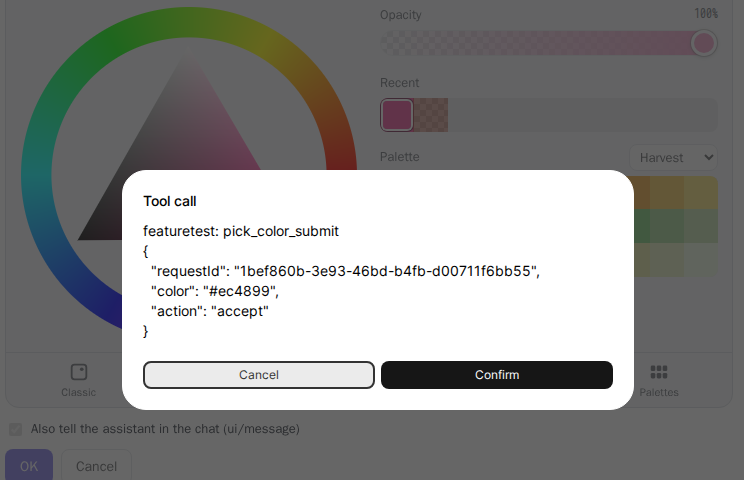
Security note: app-only visibility (_meta.ui.visibility: ["app"]) is a hint to the host, not access control. To the server, pick_color_submit is an ordinary tool, so validate its input like any other.
Which one to use
- Plain tools plus elicitation when the question fits a flat form. Works in more clients, needs no UI code.
- URL elicitation for secrets and sign-ins.
- An MCP App for real interaction, when your target hosts support it. Keep a text fallback and store answers on the server.
Try it yourself
docker run --rm -p 127.0.0.1:3457:3457 ghcr.io/linuxrrze/mcp-feature-test
# MCP endpoint: http://127.0.0.1:3457/mcp
In a host with MCP Apps support, ask for pick_color, view_3d or open_dialog_lab, a test bench for every app-to-host method. Details are in the GitHub repository.