
Some tools can’t run without the user: a delete wants a confirmation, a booking needs a date, a third-party API needs a token. Elicitation lets an MCP server ask for exactly that in the middle of a tool call. Since 2025-11-25 there are two modes, and they solve different problems. All examples come from mcp-feature-test, a small server built to exercise these features.
| Form mode | URL mode | |
|---|---|---|
| User sees | A dialog the client draws from a JSON schema | A link that opens in the browser |
| Answer travels | Through the client | From the browser straight to the server |
| Good for | Confirmations, choices, dates | Tokens, passwords, OAuth, payments |
| Capability | elicitation.form | elicitation.url |
Form mode
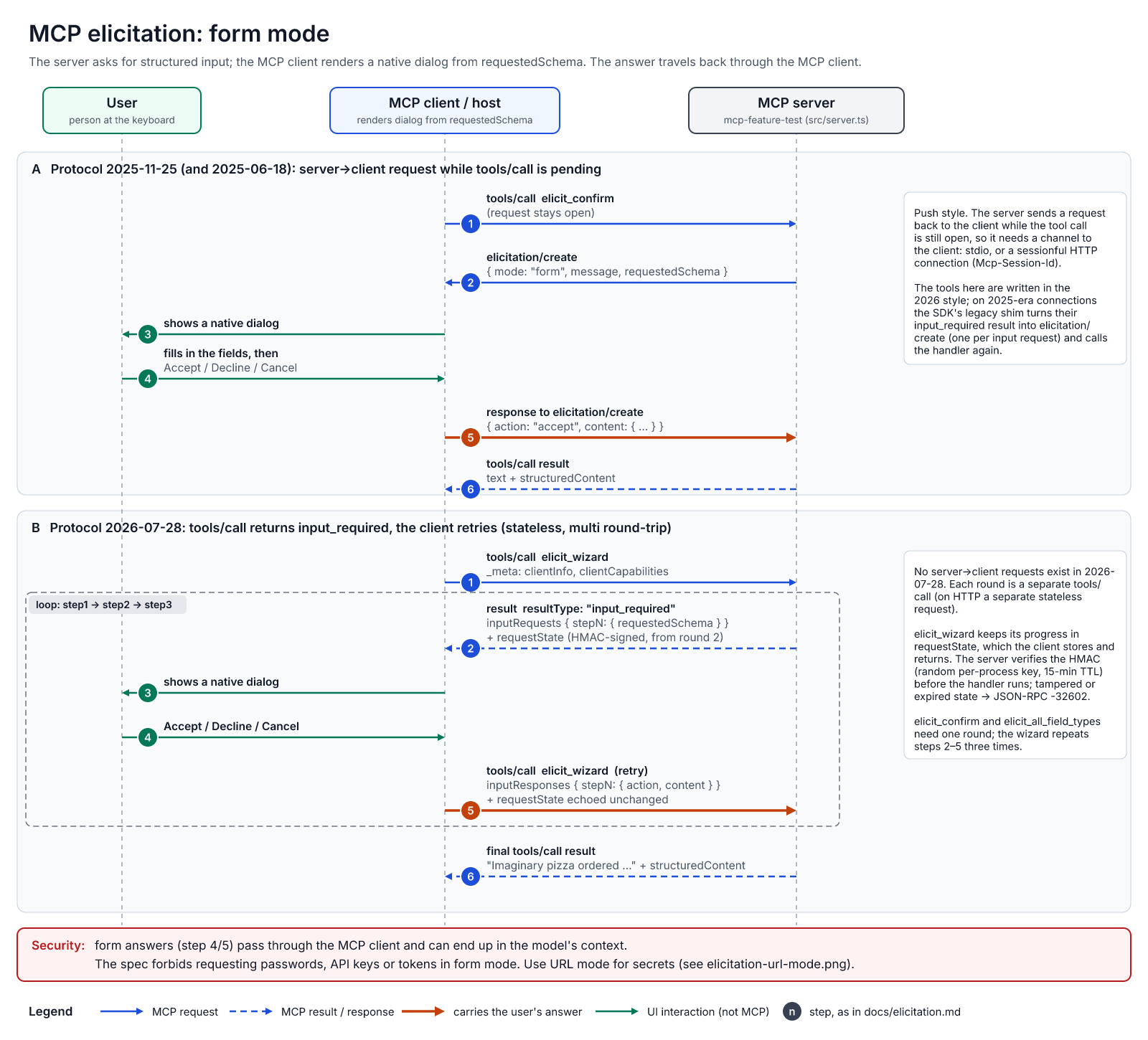
The server sends a message and a flat requestedSchema (strings, numbers, booleans, enums); the client decides what the dialog looks like. The user can accept, decline or cancel; only accept carries data.
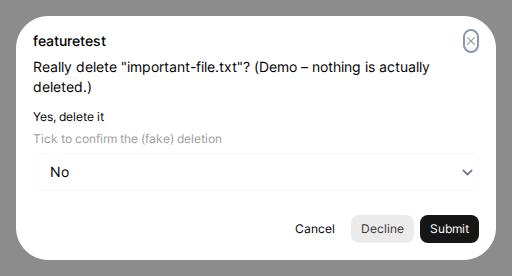
How the question reaches the client depends on the protocol generation. On 2025-11-25 the server sends an elicitation/create request back to the client while the tool call is still open. On the stateless 2026-07-28 there are no server-to-client requests: the tool returns input_required, and the client retries the call with the answers plus an opaque requestState. That state passes through the client, so the server must sign it; mcp-feature-test uses an HMAC with a 15-minute TTL.
URL mode
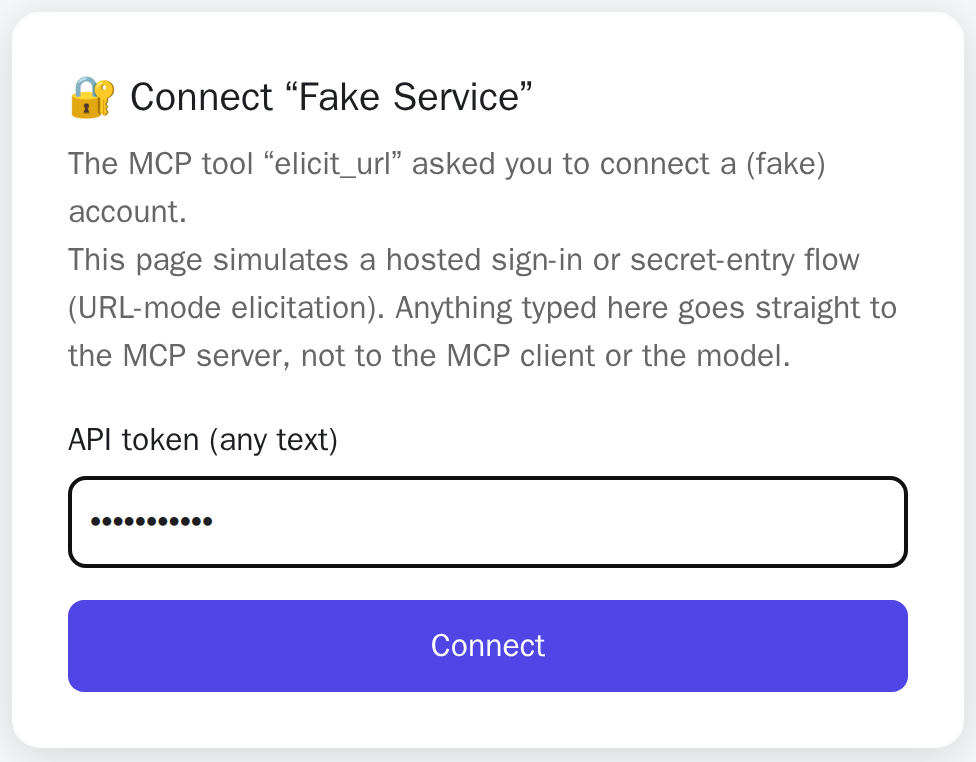
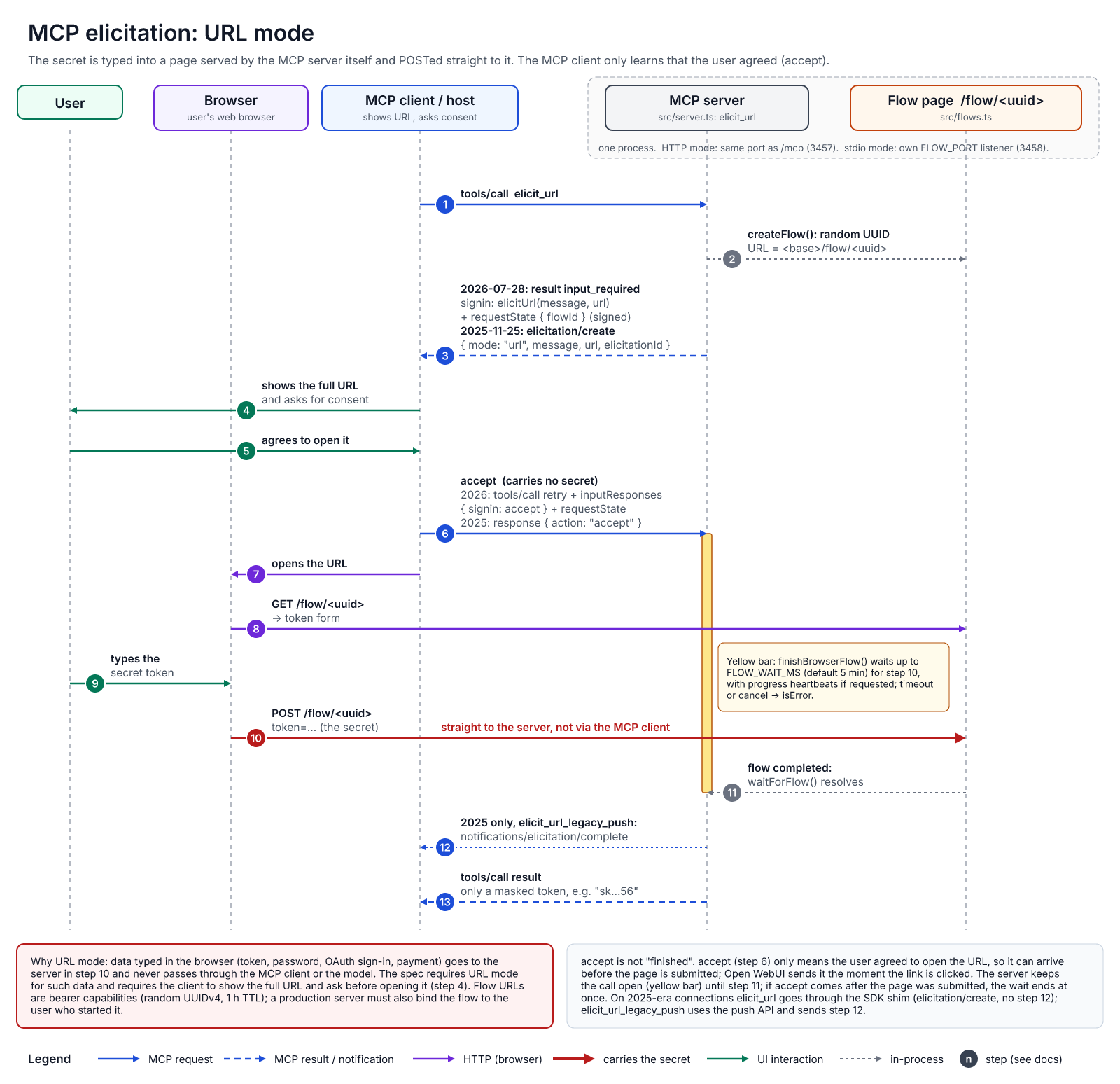
The server sends a message and a URL; the client shows the full URL and asks for consent. Whatever the user types on that page goes to the server’s own backend. The client never sees it, and neither does the model. In mcp-feature-test, elicit_url serves a token page at /flow/<uuid> and returns only a masked token.
One trap: in URL mode, accept means “the user agreed to open the link”, not “the user finished”. It often arrives before anything was submitted, so the server has to wait for its own flow. mcp-feature-test keeps the call open for up to five minutes.
Why secrets must use URL mode
The spec forbids asking for passwords, API keys or tokens in form mode. A form answer passes through the client and may end up in chat history, logs and the model’s context, where the model can repeat it or hand it to another tool. URL mode keeps the secret between browser and server. In return, the URL is a bearer capability: make it unguessable and short-lived, and in production bind the flow to the user who started it.
What Open WebUI 0.13.2 does
- Both modes work on both protocol generations.
- Forms support every spec field type and are validated before sending. Unknown formats such as
colorbecome plain text boxes. - In URL dialogs the link itself is the accept button: clicking it answers
acceptat once. - Elicitation only works in an interactive browser chat, not through the REST API or from MCP Apps.
Need input a flat form can’t express, like a colour or a 3D selection? That’s what MCP Apps are for.
Try it yourself
docker run --rm -p 127.0.0.1:3457:3457 ghcr.io/linuxrrze/mcp-feature-test
# then point your client at http://127.0.0.1:3457/mcp
Ask the assistant to call inspect_client, then elicit_confirm, elicit_wizard and elicit_url. If browsers on other machines should reach the /flow pages, set PUBLIC_URL (e.g. -e PUBLIC_URL=http://myhost:3457); the server warns at startup when it’s missing. Source and full findings are on GitHub.